

Mobile Banking
Mobile & Tablet Banking Apps
New Online Banking Security Features
The protection of your information is very important to us. We are pleased to announce an added login security feature that helps guard your online information by adding another layer of identity verification to online & mobile financial interactions.
How does the new security feature work?
When logging into VBN Online Banking on your computer or Mobiliti on your phone, you will receive a message (text or voice) on your phone with a 6-digit code. You will be asked to enter this code to complete the login process on your computer. This feature takes the place of answering security questions when logging into online banking,
What do I need to do? Please update your phone numbers in your OLB profile or contact us and provide/verify your cell phone on file. You can call us at 313 389-2300.
IMPORTANT: You will not be able to access online banking if we do not have your correct phone & contact information.
Managing your finances on-the-go has never been easier.
LPCCU’s free and secure mobile app for smartphone and tablet devices brings the convenience of banking to your fingertips. With mobile banking, members can:
- Review your balances and transaction history
- Transfer funds within your account
- Person-to-person payments
- Pay bills
- Find ATMs
To get started, sign up for mobile banking by logging into your Home Banking account. Then on your device, open Google Play, or the Apple App Store and search for LPCCU.
Mobile Payments from your Mobile Wallet
On the go? Forgot your wallet at home? We’ve got you covered.
Use Apple Pay, Google Pay, or Samsung Pay to securely pay for goods and services. It’s as easy as opening the app and holding your phone over the terminal. Each time you pay using the app, a temporary card number is generated for that single transaction, so your physical card number stays protected.
To learn more and download the app, click on one of the links above. Follow the instructions within the app to enroll your LPCCU debit card and begin making purchases from your phone today!
Safeguard your Mastercard Debit/ATM card with CardControl
Your Card on Your Terms
Unfortunately, data breaches and card fraud are only becoming more common. LPCCU is proud to offer CardControl for our members with Mastercard Debit/ATM cards. With this great app, it’s quick and easy to keep tabs on your financial security.
Sign into your Mobile Banking App. Click on Cards at the bottom and you are in control of your LPCCU Mastercard Debit/ATM card. You’ll be able to turn your card on or off if lost or stolen, as well as set usage preferences, transaction alerts, spend limits, recent transactions or set your PIN.
Mobile Alerts
Zelle® A secure solution for person-to-person payments
Zelle® is a digital payment service that allows you to send money to, or receive money from, friends, family, and others you trust. Funds are transferred directly between bank accounts, typically within minutes, using just an email address or U.S. mobile number.
Questions? Click on Zelle® for more information.
Transfer Now Payments:
Transfer Now is a digital payment from YOUR account at LPCCU to YOUR account at another financial institution. Sign in to Home Banking, click on “Transfers” at top in Blue Banner. – then choose External Account Transfer under Services.
Mobile Deposit:
Deposit Checks Anytime, Anywhere!
With Mobile Deposit, cashing most checks is as simple as snapping a couple of photos with your phone. It’s fast, secure, and totally free!
Here’s how to get started:
Just log in to your account using the Lincoln Park Community Credit Union Mobile App with your username and password. That’s it—you’re ready to go!
- Look for the “Deposit Check” icon
- Enter Check Amount
- Select which account you would like to deposit to
- Click the button “Scan Check”
- Take a picture of both sides of your endorsed check with your mobile device’s camera,
following the on-screen instructions. Make sure the back is endorsed with “For Remote
Deposit Only at LPCCU.” - Confirm your details and press the “Submit” button
- We’ll confirm that the check is being processed and that your deposit was successful
- Deposits successfully received before 2:00 pm Monday – Friday will post between 3:30 –4:30
- Deposits successfully received on the weekend or holidays will post on the next business day
*Please retain your check until funds post, as check images are not saved on your device.*
Credit Sense:
Get Started in Online Banking Today!
With Credit Sense, you can access your credit score and report directly through LPCCU’s Online and Mobile Banking platforms. This integration allows you to monitor your credit health without the need for additional logins.
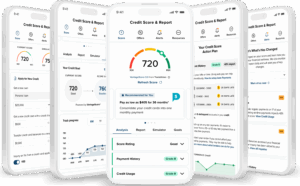
5 phones with SavvyMoney screens
- Access your credit score and full report anytime, without impacting your score.
- Receive real-time credit monitoring alerts for key changes and activity.
- Use the credit score simulator to predict how financial actions affect your credit.
Credit Sense offers personalized tips to help you improve or maintain your credit score. It provides real-time credit monitoring alerts, so you can stay informed about significant changes to your credit report.
Additionally, Credit Sense offers a credit score simulator, enabling you to see how different financial decisions may impact your credit score.


 Equal Housing Lender - We do business in accordance with the Federal Fair Housing Law and the Equal Housing Opportunity Act.

